Hello Friends! Happy New Year to all of you, may your new year be blessed with peace, love and joy. I’m sending you my heartfelt wishes with joy that never ends. It’s time to forget all the past and think ahead.
When you add a new View in MVC, you get an opportunity to create it strongly typed. In the image given below, when you check ‘Create a strongly-typed view’ and select the ‘Model class’ you get following code snippet on the view page.
One of the best feature in Razor view engine that I like most is ‘HTML Encoding’. In many cases (like a comment form on blog) we receive the data from users and he may be trying to victimize us by sending some malicious scripts causes cross-site script injection attacks (aka XSS attack).
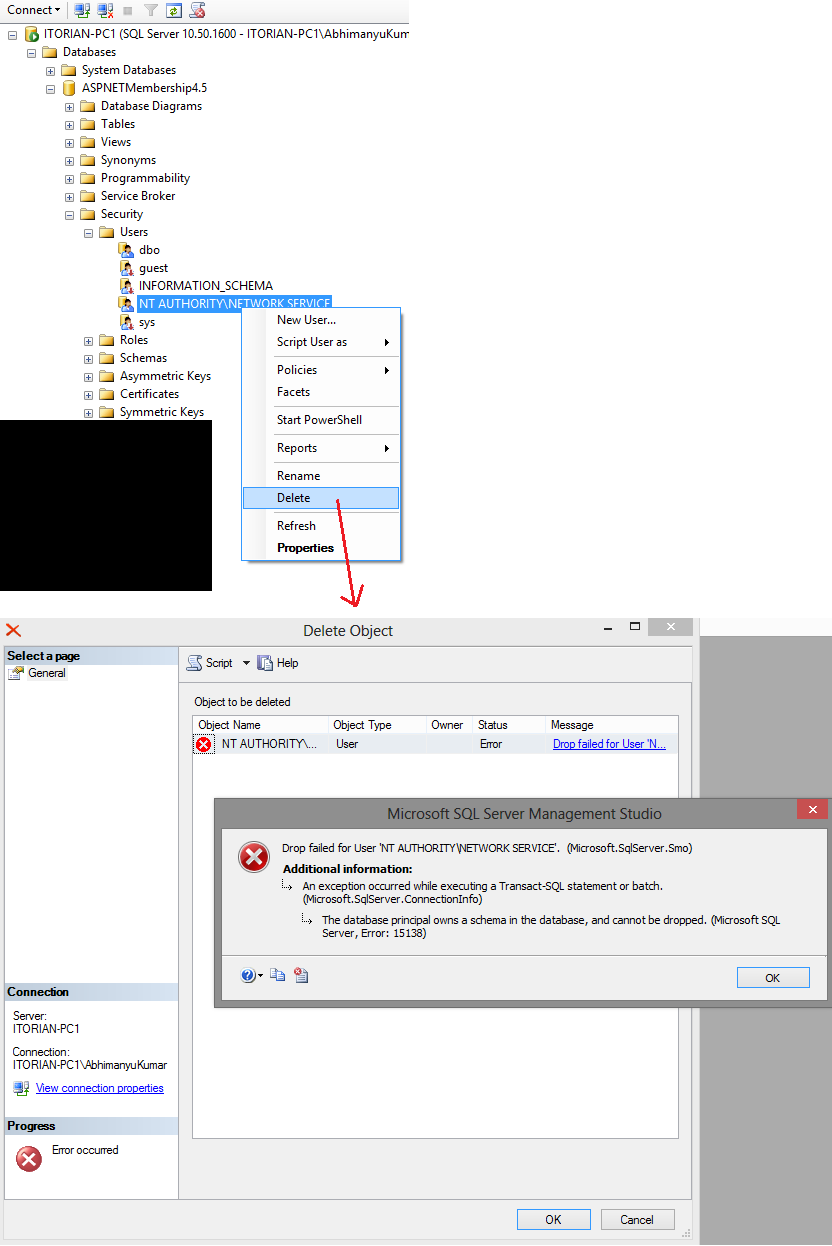
Today I added a new user in my existing database for some web application experiments and when I tried to delete the user I received following error message.
Note: You should read this post instead, I found below walkthrough will not work on ASP.NET Identity 2. I will re-work on this post soon. In this post you will learn how to customize User’s Profile and add some more fields like FirstName, LastName, EmailID etc with ASP.NET Identity System. In my last post I listed some of the great new features introduced with Identity system .
In this blog post I am going to cover some really interesting stuff which is very useful today in web application developments. You will learn how to make jQuery Ajax GET and POST calls to controller methods.
Error: this template attempted to load component assembly 'NuGet.VisualStudio.Interop, Version=*, Culture=neutral, PublicKeyToken=*'. For more information on this problem and how to enable this template, please see documentation on Customizing Project Templates.